How to Do a Subscription Audit and Find Money You Forgot You Had
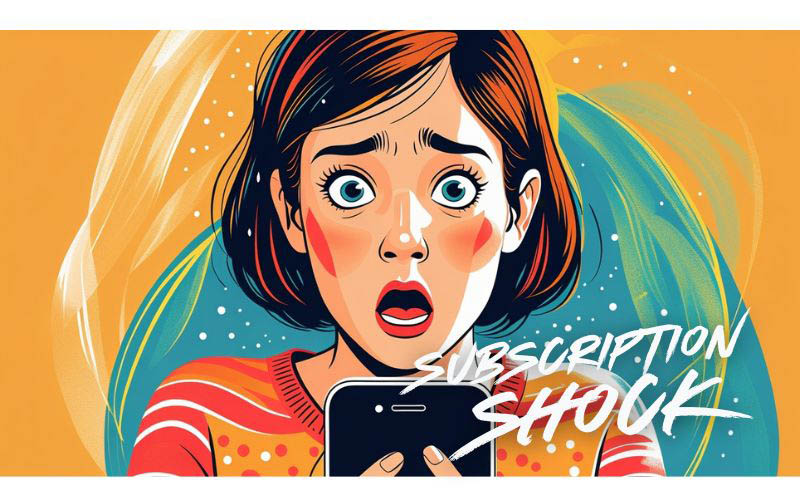
You didn’t decide to waste money on subscriptions. Nobody does. But somewhere between the trial you signed up for in January and the streaming service you haven’t opened in four months, your budget developed a slow leak — and you probably have no idea how big it is.
According to a C+R Research survey, the average American spends $219 per month on subscriptions but estimates they spend only $86. That’s a $133 gap every single month — more than $1,500 a year that quietly exits your account without you noticing. And 42% of people admit they’re still paying for at least one subscription they completely forgot about.
This isn’t a willpower problem. The subscription model is engineered for forgetting. Understanding that is where the audit starts.
Why Subscriptions Are So Easy to Lose Track Of
A $12.99 charge doesn’t feel like a decision. It feels like background noise. Your brain filters it out the same way it filters out the hum of the refrigerator — present, but not worth attention. That’s exactly what subscription companies count on.
There’s also the free trial trap. You entered your card number to test something out. The trial ended. The charge started. By the time it shows up on a statement, it’s buried between a gas station charge and a grocery run, and it doesn’t ring any alarm bells because it’s small. That’s the design.
Then there’s the annual renewal. You signed up in March at a discounted annual rate, paid once, and forgot it existed. Twelve months later it charges you again — and since you’re not expecting it, there’s a decent chance you won’t catch it. A 2025 Self Financial survey found that 54.9% of subscribers are currently paying for at least one subscription they haven’t used in the past 30 days, costing an average of $10.57 per unused service per month.
The Reminder You Never Got
Here’s something most people don’t realize: subscription companies are not required to notify you before a charge hits. In most cases, they don’t. No email. No text. No heads-up that your annual plan is about to renew for another $119.
Some services offer billing reminders, but opting in is rarely obvious. If the option exists at all, it’s usually tucked in account settings under a category like “Notification Preferences” or “Email Alerts” — not something you’d think to look for when you’re signing up in a hurry. The default is almost always no reminders. You have to actively go find the setting and turn it on.
This means the only reliable way to know what you’re paying for is to look yourself. Which is exactly what the audit is for.
How to Find and Cancel Forgotten Subscriptions in 15 Minutes
You don’t need a special app to do this. You need your bank statements and about 15 minutes of honest attention.
Step 1: Pull the Last 90 Days of Statements
Every card, every account. This is the step people skip, and it’s also the step that finds the most money. A big reason subscriptions go undetected is that people switch to a new card for daily spending and stop watching the old one. That old card might still be funding three services you haven’t thought about since 2023.
Look specifically for charges under $25 that appear monthly or quarterly. Small amounts, predictable timing — that’s the subscription fingerprint.
Step 2: Hunt Down the Unfamiliar Names
Subscription charges don’t always show up with names you recognize. “APL*ITUNES” is Apple. “DNI*DISNEY” is Disney+. “RKT*PREMIUM” is Rocket Money. If a charge looks vague, Google the exact text — someone else has wondered the same thing.
Don’t assume a charge is legitimate just because you don’t recognize it. Billing errors and unauthorized charges are more common than people think, and the only way to catch them is to look.
Step 3: Check Your Phone Settings
Your phone is holding subscriptions you’ve forgotten. Both iPhone and Android have dedicated subscription management screens, and they often surface services that don’t show up cleanly on credit card statements.
- iPhone: Settings → [Your Name] → Subscriptions
- Android: Google Play Store → Profile icon → Payments & subscriptions → Subscriptions
Check every Google and Apple account on your devices. If you share a phone or tablet with someone, check those too.
Step 4: Build Your Subscription Inventory
Write it down. Service name, monthly cost, last time you actually used it, and next renewal date. The last-used column is the honest part — not when you meant to use it, when you actually did. A subscription you’ve been meaning to use for six months is a subscription you don’t need.
Step 5: Run the Numbers
Add up the full monthly total and multiply by 12. That annual number is usually the wake-up call. If the total is higher than you expected, you’re in good company — most people underestimate their subscription spending by more than 2.5 times, according to the C+R Research data.
Miser’s Quick Tip
Annual vs Monthly Trap Be careful with ‘annual savings’ discount offers. Only choose the annual plan if you’re 100% sure you’ll use it all year. Monthly plans give you flexibility to cancel when your needs change.

Where the Money Usually Hides
Certain categories are responsible for most of the forgotten charges. These are the usual suspects.
Streaming Services
The average household now pays for multiple streaming platforms simultaneously. Most of them raised prices in 2025, which the financial press has started calling “streamflation.” The math adds up fast: Netflix, Hulu, Max, Disney+, Peacock, and Apple TV+ together can easily run $80–$100 per month before you’ve watched a single thing.
The specific drain here isn’t having the services — it’s keeping them between seasons. You binge a show, finish it, and the service sits idle for three months while charging you $15.99. Cancel it. It’ll still be there when the next season drops.
Fitness and Wellness Apps
Pandemic-era signups that never got canceled. January gym motivation that faded by February. That meditation app you opened twice. Fitness subscriptions have some of the most aggressive auto-renewal behavior in the category — many renew annually, and the charge is easy to miss when it only hits once a year. If you haven’t logged in within the past month, it’s worth asking whether you’ll ever log in again.
Cloud Storage
You upgraded your phone, got more built-in storage, and forgot about the iCloud or Google One plan you set up on the old device. That $2.99 a month isn’t a lot, but it’s buying you capacity you’re not using. Check your current storage actually used before deciding to keep these.
Free Trials That Aren’t Free Anymore
Nearly half of consumers have been charged after forgetting to cancel a free trial, according to C+R Research. The trial-to-paid conversion is a core revenue strategy for subscription businesses, and the process is designed to minimize friction on the way in and maximize it on the way out. Enter your card for a 7-day trial. Forget. Get charged for six months.
A simple defense: the moment you start any free trial, set a calendar alert for two days before the trial ends. Not the day it ends — two days before. That gives you a window to actually cancel without scrambling.
AI Tools
The 2023–2024 AI subscription boom left a lot of people with overlapping tools that do similar things. ChatGPT Plus, Claude Pro, Grammarly Premium, Midjourney — $20 here, $30 there. Pick your actual daily driver and cancel the ones you’re testing in perpetuity.
Tools That Actually Help
You can do a subscription audit entirely manually, and for most people that’s enough. But if you’d rather automate the detection piece, a few options are worth knowing about.
Free Options First
Bank alerts. Most banks let you set up notifications for recurring charges. Turn these on for every card you use. It won’t catch subscriptions you already have, but it means new ones can’t sneak in quietly.
Calendar reminders. Set an annual reminder — December 31st works well — to do a full subscription review. Takes 20 minutes, finds money every time.
Notification settings. For any subscription you decide to keep, go into the account settings and look for billing reminders or renewal alerts. They’re rarely on by default, but they exist. Turn them on.
Subscription Tracking Apps
Rocket Money (Free/Premium) — Connects to your accounts, surfaces recurring charges, and can handle cancellations for you. The free version covers tracking. Premium runs $6–$12/month and adds the cancellation service. Useful if the manual process feels overwhelming.
Bobby (Free) — Simple, manual tracking app. You add your subscriptions yourself, it keeps the list and sends renewal reminders. No bank connection required, which some people prefer for privacy reasons.
One honest note: there’s something slightly absurd about paying for a subscription to cancel subscriptions. If Rocket Money’s premium tier costs $12/month but you cancel three services totaling $30/month, the math still works — just do it with clear eyes.
What to Cut, What to Keep, and What to Negotiate
Not every subscription deserves to die. Some of them are genuinely worth it. The goal isn’t a spartan existence without digital services — it’s intentional spending. Every subscription you keep should be a deliberate choice, not a default you never revisited.
Cut These First
- Anything you haven’t used in 30+ days
- Duplicate services — two music apps, three streaming services with overlapping content
- Free trials you forgot to cancel
- Seasonal services still running out of season (sports packages, holiday boxes)
Consider Keeping, But Negotiating
When you call to cancel a service you actually use but think is too expensive, companies often come back with a retention offer — a discount, a free month, or a downgrade option they didn’t mention upfront. This works more often than people expect. A polite “I’m thinking about canceling because the price is too high” conversation is worth two minutes of your time.
The Cancel-and-Come-Back Move
You can always resubscribe. This is the thing people forget. If a service has a show you want to watch or a feature you need seasonally, cancel it now and come back when you need it. The app will still be there. Your account history usually survives a gap. You’re not losing anything except the charge.
How to Keep Subscriptions From Creeping Back
The audit handles the problem you already have. These habits prevent it from rebuilding.
- One in, one out. Before adding a new subscription, cancel an existing one.
- Virtual card numbers for trials. Services like Privacy.com let you create single-use card numbers. When the trial ends, the card doesn’t work — and the charge can’t go through.
- Quarterly 10-minute review. Not a full audit — just a scan of the current list. Anything added in the past three months gets evaluated.
- Turn on billing alerts in notification settings for every service you keep. Bury the setting all they want — you’ll know where it is now.
The Math on What You’re About to Find
If you’re average, you’re spending $133 more on subscriptions each month than you think you are. Cancel three unused services at $10–$15 each and you’ve freed up $30–$45 a month without changing anything about your actual life. That’s $360–$540 a year redirected toward something you chose.
That money can go toward your emergency fund, your credit card balance, or something you actually want. But it starts with knowing the number — the real one, not the one you’re guessing.
If you want a framework for where that freed-up money should go, the 50/30/20 rule is a solid starting point. And if subscriptions are part of a bigger picture of spending that’s getting away from you, stopping the paycheck-to-paycheck cycle is worth reading next.
This content is for educational purposes only. It is not personalized financial advice. Consult a qualified financial advisor before making financial decisions.